Add CrowdStrike AIDR Content Security
This guide shows how to add a CrowdStrike AIDR Content Security: Content Security Providers govern the MCP tool traffic flowing through Aembit's MCP Identity Gateway. You add a provider to the Content Security component of an Access Policy.Learn more to an Access Policy in the Access Policy Builder. For how CrowdStrike AIDR inspects traffic and where to get your credentials, see CrowdStrike AIDR.
Prerequisites
Section titled “Prerequisites”- Access to the Aembit Admin UI with permission to create and edit Access Policies.
- The Access Policy Builder enabled. See Create an Access Policy.
- Your CrowdStrike AIDR base URL and API token. See Get your credentials.
Add CrowdStrike AIDR Content Security to a policy
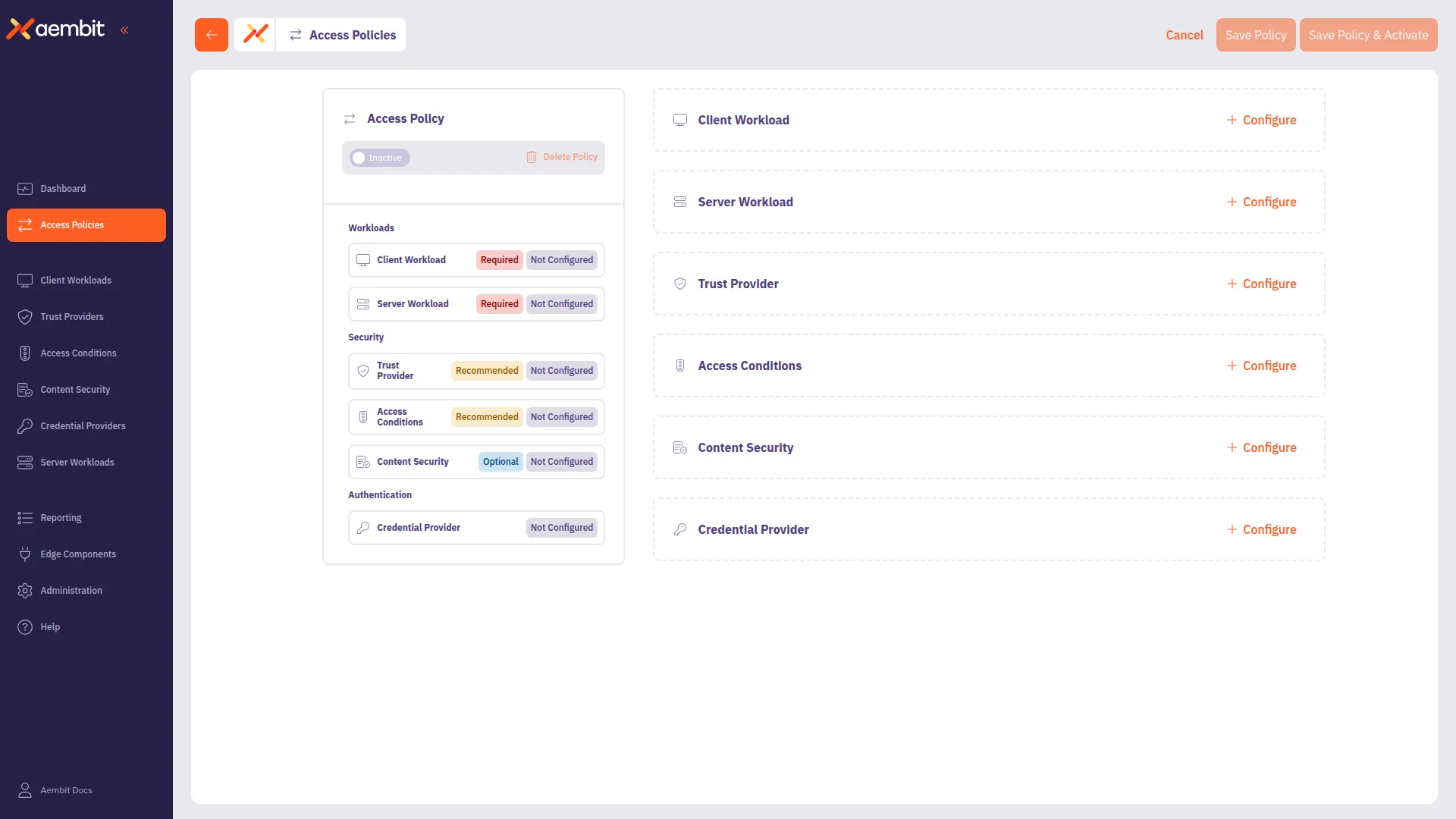
Section titled “Add CrowdStrike AIDR Content Security to a policy”Configure Content Security from the Content Security card in the Access Policy Builder. You enter the connection details for CrowdStrike AIDR directly on the component.
-
In the Aembit Admin UI, open an Access Policy in the Access Policy Builder, or create a new one.
-
In the Content Security card, click + Configure to open the Content Security panel.
-
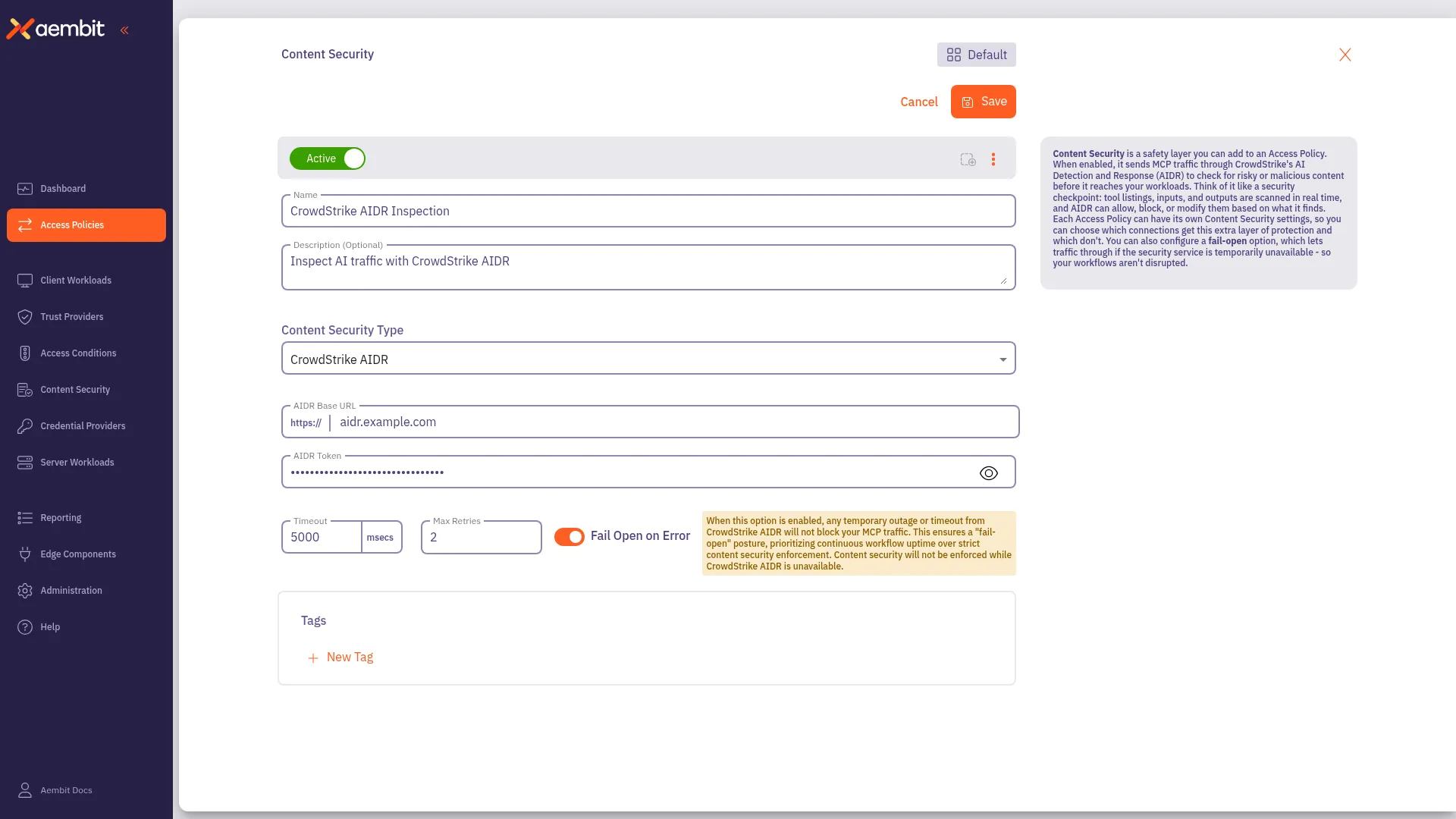
Leave the Active toggle on to enforce Content Security on this policy.
-
Enter a Name and optional Description.
-
From the Content Security Type dropdown, select CrowdStrike AIDR.
-
In the AIDR Base URL field, enter your CrowdStrike AIDR base URL. The field includes a fixed
https://prefix. -
In the AIDR Token field, enter your CrowdStrike AIDR API token.
-
(Optional) In the Timeout field, set how long, in milliseconds, Aembit waits for an AIDR response before the request times out. The field accepts 5,000 to 600,000 milliseconds and defaults to 5,000.
-
(Optional) In the Max Retries field, set how many times Aembit retries a failed AIDR request. The field accepts 0 to 10 and defaults to 2.
-
Set Fail Open on Error to control what Aembit does when it can’t reach CrowdStrike AIDR or the request errors:
- On (default) - Aembit forwards the request without inspection (fail open).
- Off - Aembit blocks the request (fail closed).
For the trade-off between availability and guaranteed inspection, see Fail-open and fail-closed behavior.
-
Click Save to add Content Security to the policy.
Terraform
Section titled “Terraform”You can manage Content Security with the
Aembit Terraform Provider.
See the
aembit_content_security
resource
for the full configuration reference.