Skip to content

GitLab CI/CD Component, OIDC dynamic claims, and CrowdStrike conditions now available

The Aembit Edge GitLab CI/CD Component is now available to simplify Aembit integration within your pipelines. Find the component in the GitLab CI/CD Catalog and learn how to use it in the component documentation.


The OIDC ID Token Credential Provider now supports dynamic claims, allowing you to extract and use values from OIDC tokens in the credential data. This feature creates personalized and context-aware credentials that reflect the workload’s identity and attributes from their original OIDC token.

See OIDC ID Token Dynamic Claims for more information.


Aembit has added two new Access Conditions for CrowdStrike:

  • MAC Address - Ensures the CrowdStrike Agent Host MAC Address matches the Host MAC Address that Agent Proxy retrieved.
  • Local IP Address - Ensures the CrowdStrike Agent Host Local IP Address matches the Host Local IP Address that Agent Proxy retrieved.

See Create Access Conditions for CrowdStrike to learn how to create Access Conditions for CrowdStrike.

Aembit CLI, AWS Secrets Manager, and Jenkins Pipelines now available

Aembit has released the new AWS IAM Role Credential Provider Integration and Secrets Manager Credential Provider. Together, they enable you to retrieve secrets from AWS Secrets Manager directly through Aembit.

See AWS IAM Role Credential Provider Integration and AWS Secrets Manager Credential Provider to learn more.


Aembit has released the Aembit CLI, a command-line interface that allows you to inject credentials into your CI/CD pipelines. Compatible with GitLab, GitHub, and now Jenkins.

Check out the Aembit CLI Guide to get started with the Aembit CLI!
Also, see Aembit Edge on CI/CD services for more information on how to use Aembit CLI with your CI/CD pipelines.


Aembit has released support for Jenkins Pipelines to help you integrate Aembit into your Jenkins CI/CD workflows. This integration allows you to securely retrieve and use Aembit-managed credentials directly in your Jenkins Pipelines, streamlining your CI/CD processes and enhancing security.

Check out Jenkins Pipelines to learn more about how to use Aembit with Jenkins Pipelines.


Aembit now supports Server Workloads with a wildcard hostname.

This enables you to simplify your server workloads in a flexible and well defined manner.


As of Agent Controller version 1.24.xxxx, Aembit has enhanced Agent Controller to automatically close insecure HTTP ports when you enable TLS. This update streamlines security by ensuring only encrypted connections are active.

When you enable TLS, Agent Controller now automatically:

  • Opens Secure Ports: 443 (or 5443 on VMs) and the secure Prometheus port 9091.
  • Closes Insecure Ports: 80 (or 5000 on VMs) and the insecure Prometheus port 9090.

This automation removes the manual step of closing insecure, vulnerable ports, preventing potential misconfigurations and enforcing a more secure, “secure-by-default” posture.


Aembit has applied security enhancements to Agent Controller version 1.24.2485 in this release, including:

  • Disabling insecure HTTP ports when you enable TLS.

Updated Edge Components:

  • Agent Controller

Updated Edge Packages:

  • Helm Chart

  • Terraform ECS module

See Edge Components supported versions for more details.

Aembit Edge API now available with expanded Wiz Discovery

Introducing Aembit Edge API, the new way your cloud-native applications can retrieve credentials dynamically without deploying additional infrastructure. Perfect for serverless functions, containers, and CI/CD pipelines that need secure access to third-party services.

With Aembit Edge API you can:

  • Retrieve credentials on-demand for any configured service from your CI/CD pipelines.
  • Authenticate workloads using platform-native identity tokens (GitHub Actions, GitLab CI, AWS Lambda, etc.).
  • Remove hardcoded secrets by fetching credentials just-in-time.
  • Support multiple credential types including API keys, username/password, and CI/CD provider tokens.

Check out the Edge API get started page to learn more or start using it right away with the Aembit Edge quickstart guide.


Aembit Discovery can now discover additional resources when you use Wiz as a Discovery Source.

Through the Wiz integration, Aembit now discovers Client Workload resources such as VMs, AWS- and Azure-specific Client Workload Identifies, and many others. As for Server Workload resources, Aembit now discovers Azure Blob Storage, GCP BigQuery, and many others.

For the full list, see Wiz-discoverable resource types.

Global Policy Compliance, OIDC ID Token Credential Provider, and Splunk Log Streams now available

To increase the available deployment options for Amazon Web Services (AWS) Lambda users, Aembit now provides a Lambda Layer to support zip-based Lambda Functions. This joins our existing AWS Lambda Container support.

For more detailed information on how to deploy Aembit Edge Components to AWS Lambda Functions using our Lambda Layer, please refer to the AWS Lambda Functions documentation.


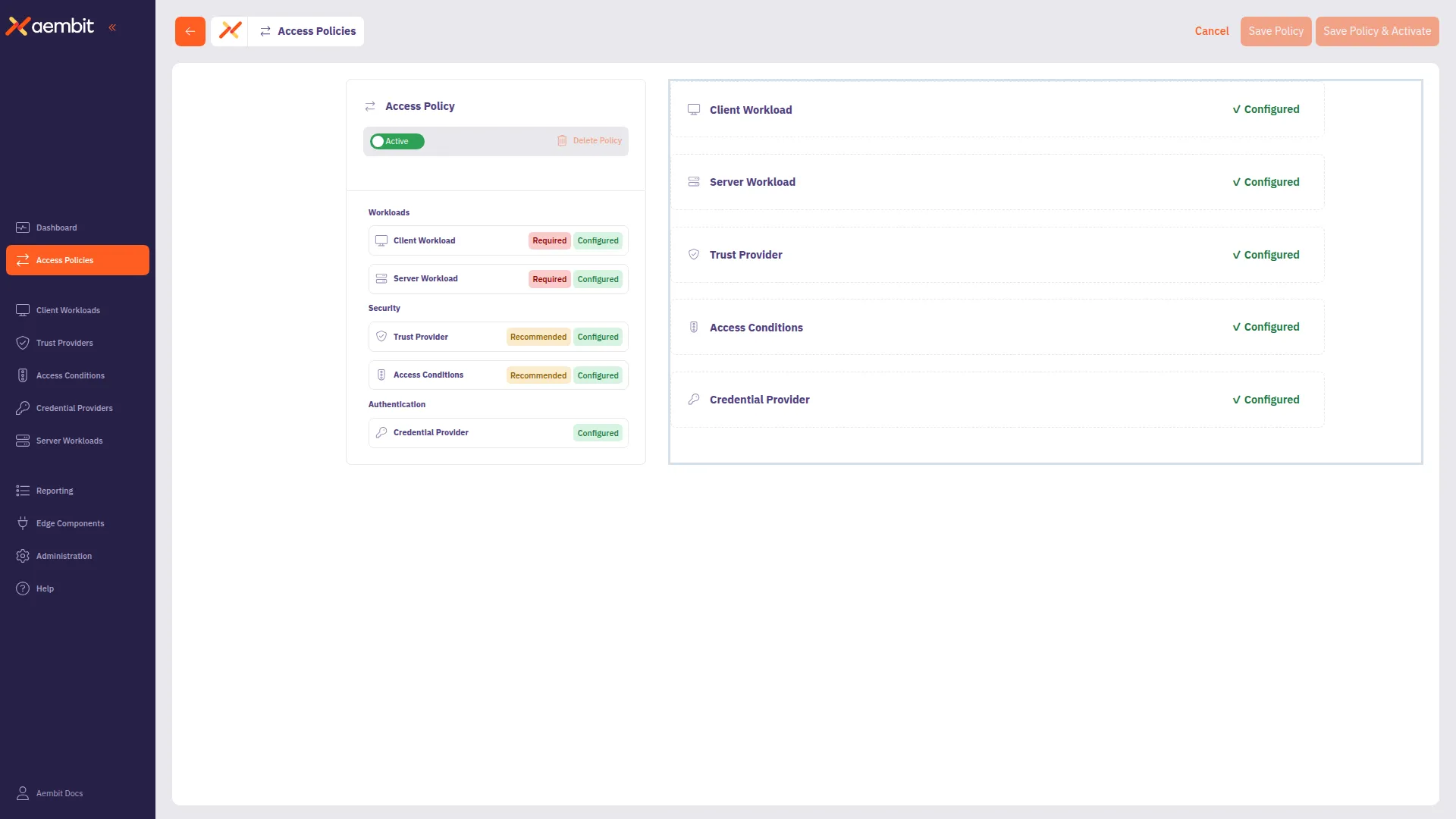
Introducing Global Policy Compliance for centralized security enforcement across your Aembit environment. This feature allows administrators to establish organization-wide security standards for Access Policies and Agent Controllers, ensuring consistent security practices and preventing the creation of policies that might inadvertently expose resources.

With Global Policy Compliance, you can enforce requirements for Trust Providers and Access Conditions across all Access Policies, as well as Trust Provider and TLS Hostname requirements for Agent Controllers. The three-tier enforcement model lets you set requirements as Required, Recommended (default), or Optional based on your organization’s security needs.

Global Policy Compliance visually identifies non-compliant components through color-coded status icons:

  • Red indicators for required but missing elements
  • Yellow indicators for recommended but missing elements
  • Green indicators for compliant Access Policies
  • Gray indicators for disabled or not active Access Policies

To learn more about Global Policy Compliance, see the Global Policy Compliance Overview.


Introducing OIDC ID Token Credential Provider for secure identity token generation and exchange with third-party services. By leveraging Aembit’s custom Identity Provider (IdP) capabilities, this Credential Provider generates JWT-formatted tokens that seamlessly integrate with various Workload Identity Federation (WIF) solutions.

The OIDC ID Token Credential Provider offers flexible configuration options including:

  • Custom claims configuration with both dynamic and literal subject support
  • Choice of signing algorithms (RS256 or ES256)
  • Integration with identity brokers such as AWS STS, GCP WIF, Azure WIF, and HashiCorp Vault

This new Credential Provider is particularly valuable for:

  • Secure access to cloud provider resources through their WIF solutions
  • Authentication with HashiCorp Vault using OIDC tokens
  • Integration with any service supporting OIDC/JWT authentication

To learn more about this feature, see About the OIDC ID Token Credential Provider.


Introducing Log Stream for Splunk SIEM to enhance your security monitoring capabilities. This integration enables rapid streaming of Aembit Edge event logs and audit logs directly to Splunk using Splunk’s HTTP Event Collector (HEC) protocol.

By connecting Aembit with Splunk SIEM, you can:

  • Enhance threat detection with comprehensive security data
  • Improve incident management through centralized logging
  • Streamline compliance monitoring for your organization

The setup process is straightforward, requiring only a properly configured HTTP Event Collector in your Splunk environment and a few configuration steps in the Aembit Admin UI. Aembit will automatically send email notifications if Log Stream transactions consistently fail, ensuring you’re always aware of your logging status.

To learn more about setting up this integration, see How to stream Aembit events to Splunk SIEM.

Standalone CAs and Credential Provider Integrations now available

Introducing Standalone CAs for more granular control over TLS Decrypt management. This feature allows you to create and manage dedicated Certificate Authorities (CAs) that function independently from Aembit’s default Tenant-level certificates.

With Standalone CAs, you can assign CAs directly to specific Client Workloads or Resource Sets, creating isolated trust boundaries and enabling precise management of TLS traffic across different environments. Aembit intelligently selects the appropriate CA using a clear hierarchy: Client Workload level -> Resource Set level -> Tenant level.

To learn more about Standalone CAs, see About Standalone CA for TLS Decrypt.


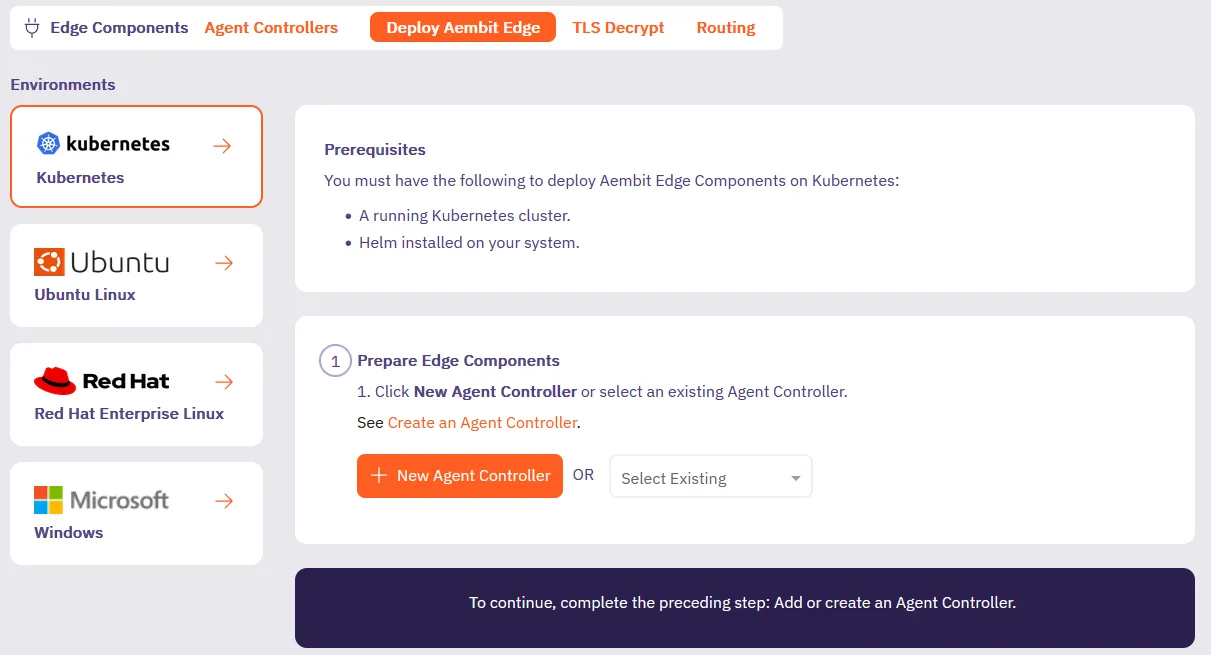
We’ve updated the Deploy Edge Components experience in the Aembit admin UI to streamline how you deploy Aembit Edge Components.

We’ve added deployment guides directly in the Aembit admin UI for each type of deployment such as Kubernetes, Ubuntu Linux, Red Hat Enterprise Linux, or Microsoft. Now when you’re deploying new Aembit Edge Components, you’ll have a guided experience to get you up and running faster.

Deploy Aembit Edge screen


Introducing Credential Provider Integrations, which automate credential lifecycle management for third-party systems. This feature makes sure your workloads always have valid credentials without manual management, enhancing both security and operational efficiency, eliminating manual credential management.

Our new Credential Provider Integrations feature makes this possible by connecting Aembit directly to third-party systems like with the GitLab Service Account integration. The GitLab Service Account integration enables you to create a Managed GitLab Account Credential Provider, which allows you to manage the credential lifecycle of your GitLab service accounts.

This gives you fine-grained control while eliminating the overhead of manual credential management.

AWS SigV4 and SigV4a request signing now supported

The Aembit Credential Provider for AWS Security Token Service (STS) now supports the AWS SigV4 and SigV4a request signing protocols. Aembit automatically signs requests to AWS services using SigV4 for regional services or SigV4a for global/multi-region services.

See How Aembit uses AWS SigV4 and SigV4a to learn more and AWS Security Token Service (STS) Federation to configure an AWS STS Credential Provider.

Updated Edge Components:

  • Agent Proxy

Updated Edge Packages:

  • Helm Chart

  • VM Agent Proxy package

  • Terraform ECS module

  • AWS Lambda Extension

See Edge Components supported versions.

Vault private network access and CrowdStrike on Windows now available

Aembit now supports accessing HashiCorp Vault Credential Providers that reside on private networks. This allows your colocated Agent Proxy to handle authentication directly instead of Aembit Cloud. See Accessing Vault on private networks for more info.

Aembit now supports Conditional Access for CrowdStrike on Windows. To set up Conditional Access for CrowdStrike on Windows, follow the steps in Access Condition for CrowdStrike.

Aembit now supports the AWS Role Trust Provider on Agent Proxy for ECS Fargate deployments.

Enhanced Vault token header behavior.

Enhanced Agent Proxy initialization on Kubernetes to prevent other processes from interfering and impacting its startup.

Updated Edge Components:

  • Agent Proxy

Updated Edge Packages:

  • Helm Chart

  • Terraform ECS module

  • VM Agent Proxy package

  • AWS Lambda Extension

See Edge Components supported versions.

Azure Entra Workload Identity Federation and automatic user creation now available

Aembit now supportsAzure Entra Workload Identity Federation as a Credential Provider. This enables you to automatically obtain credentials through Aembit as a third-party federated Identity Provider (IdP) to securely authenticate with Azure Entra to access your Azure Entra registered applications and managed identities.

Aembit now supports Automatic User Creation triggered by SSO login requests. Aembit has enhanced the Identity Provider configuration page with additional parameters, enabling you to map SAML attributes from your Identity Provider to the user roles defined in your Aembit Tenant.

You can now change the leaf certificate lifetime when using the TLS Decrypt feature.

OAuth 2.0 Authorization Code Credential Provider now available

Aembit now supports 3-legged OAuth (3LO) workflows through the new OAuth 2.0 Authorization Code Credential Provider. Applications can request a user’s permission to access their account data and act on the user’s behalf.

With 3LO support, an application can access services or applications that the user has authorized.

Aembit supports the following third-party services with OAuth 2.0 Authorization Code Credential Providers:

For configuration details, see the OAuth 2.0 Authorization Code Credential documentation.

An expansion to Client Workload identification and Trust Provider match rules also shipped in this release; see Expanded Client Workload identification and Trust Provider match rules.

OAuth 2.0 Authorization Code Credential Provider enters beta

Aembit has released beta support for the OAuth 2.0 Authorization Code Credential Provider.

Many organizations require Credential Provider support for various 3rd party SaaS services which only support short lived credentials with the OAuth 2.0 Authorization Code Flow. These services included:

  • Atlassian
  • GitLab
  • Slack
  • GCP BigQuery
  • Apigee
  • PagerDuty

This beta release enables users to use 3rd party SaaS services and have short-lived access tokens generated on demand for authentication to APIs that these 3rd party services provide.

For more information on how to configure the OAuth 2.0 Authorization Code Credential Provider to be used with any of these 3rd party services, please see the OAUth 2.0 Authorization Code Credential Provider page.

Dynamic Claims now available for Credential Providers

Aembit has released a new feature for Credential Providers called “Dynamic Claims.” This feature allows you to set the Subject claim and Custom claims with either literal strings or dynamic values when setting up Credential Providers in your Aembit client tenant.

For more detailed information about Dynamic Claims, please refer to Dynamic Claims page

This feature is currently only supported for Vault integration.